Deployment Creation
The first task was to deploy a containerized NGINX web application to the Minikube Kubernetes cluster. A deployment was created using the official NGINX container image. Kubernetes automatically created a ReplicaSet and Pod to maintain the desired state.
kubectl create deployment nginx-demo --image=nginx
kubectl get deployments
kubectl get pods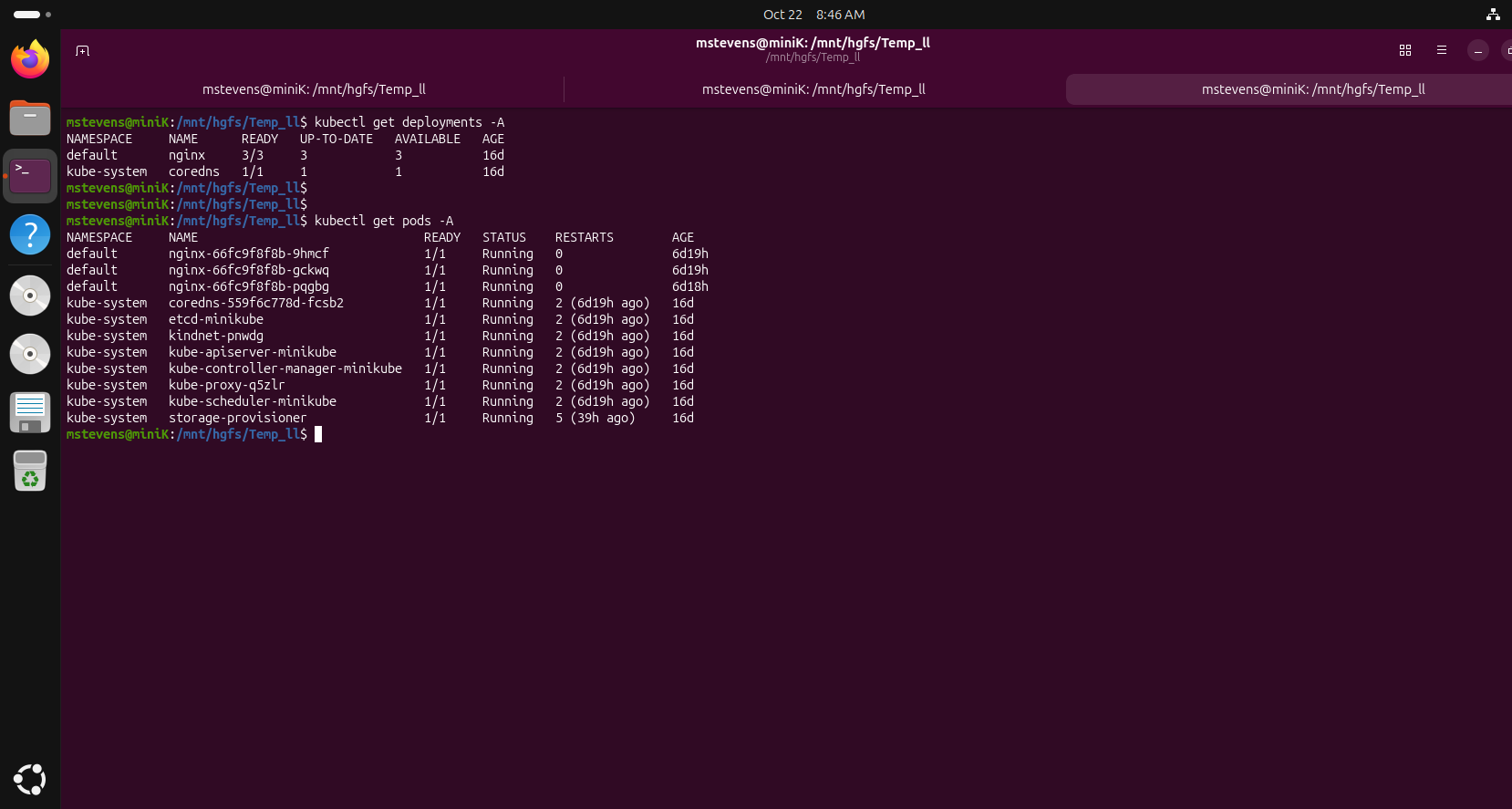
Figure 1: Successful creation of the NGINX deployment and associated pod.
Pod Health Verification
After deployment creation, pod health was verified to confirm the container was running successfully. Kubernetes reported the pod as healthy with no restart events or deployment failures.
kubectl get pods
kubectl describe pod <pod-name>
kubectl logs <pod-name>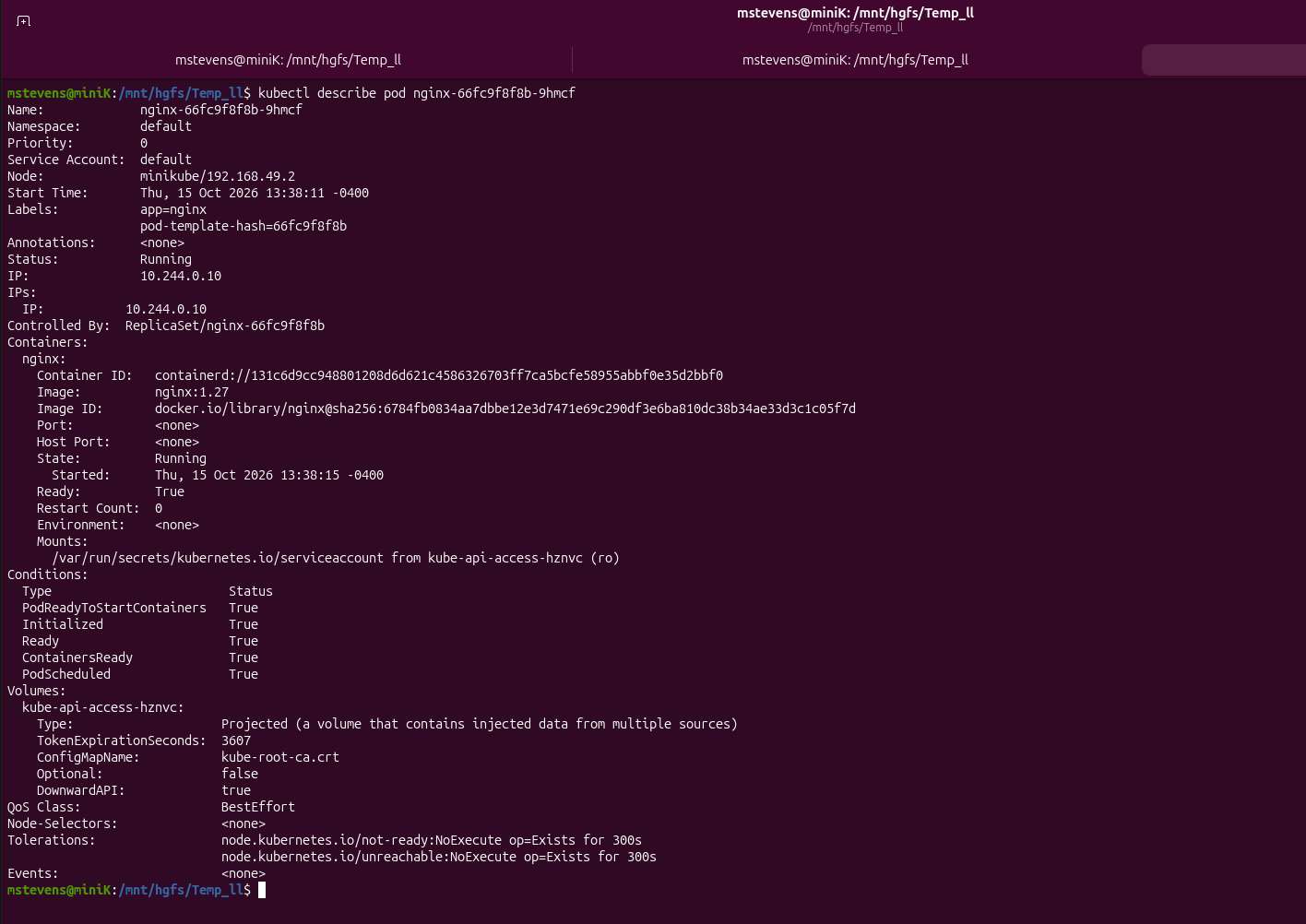
Figure 2: Kubernetes reporting the pod description.
Service Exposure
The deployment was exposed using a Kubernetes NodePort service to allow external access to the web application. The service assigned a network endpoint that could be accessed through Minikube.
kubectl expose deployment nginx-demo \
--type=NodePort \
--port=80

kubectl get svc
Figure 3: NodePort service created for the NGINX deployment.
Application Access Testing
After the service was created, Minikube networking was used to obtain the service URL. Accessing the URL in a browser successfully displayed the NGINX welcome page, confirming end-to-end application functionality.
minikube service nginx-demo --url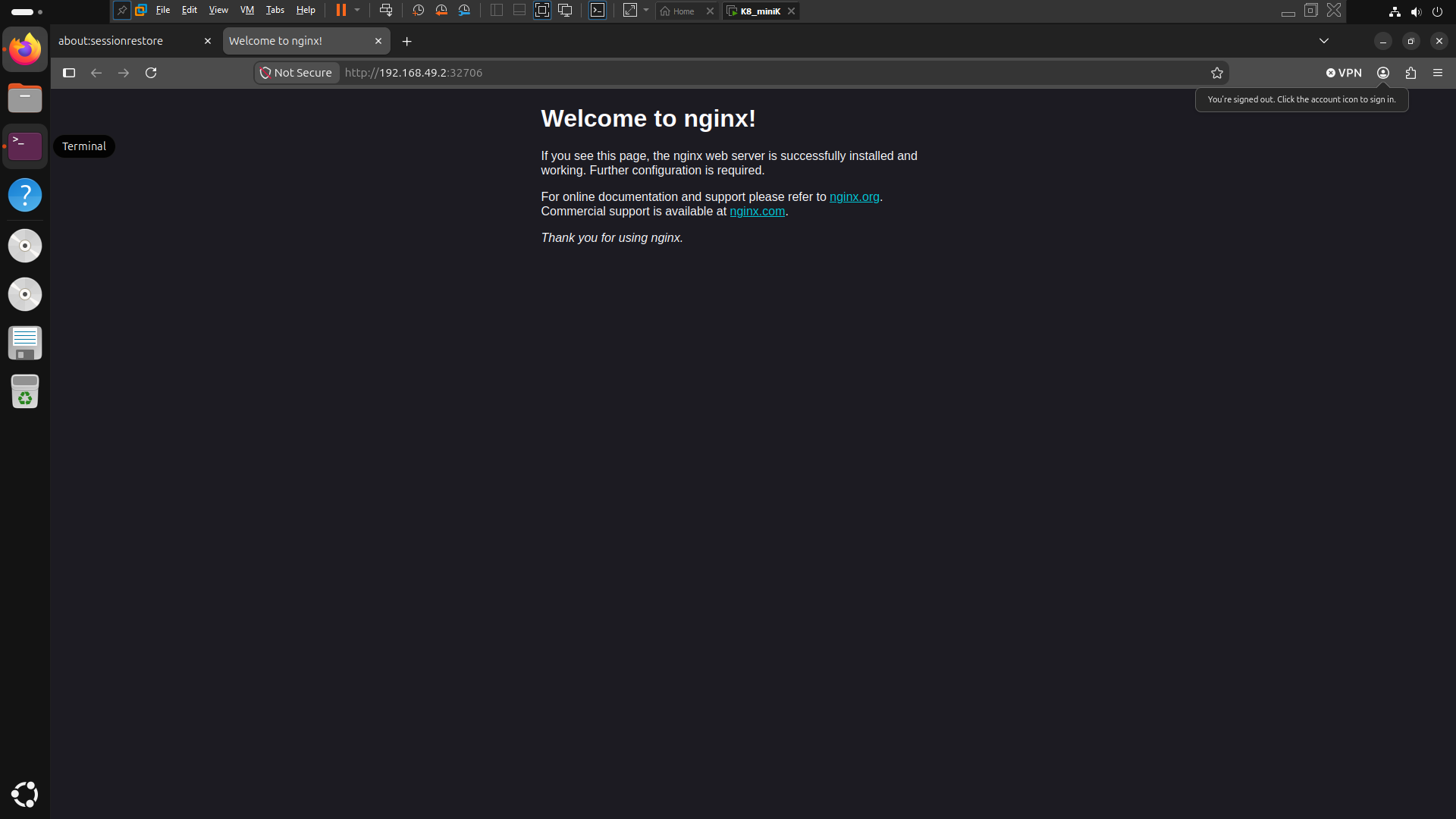
Figure 4: Application successfully accessible through Minikube networking.
Kubernetes Resource Validation
Kubernetes resources were reviewed to confirm the environment was functioning correctly. Deployment, ReplicaSet, Service, and Pod objects were all present and reporting healthy status.
kubectl get all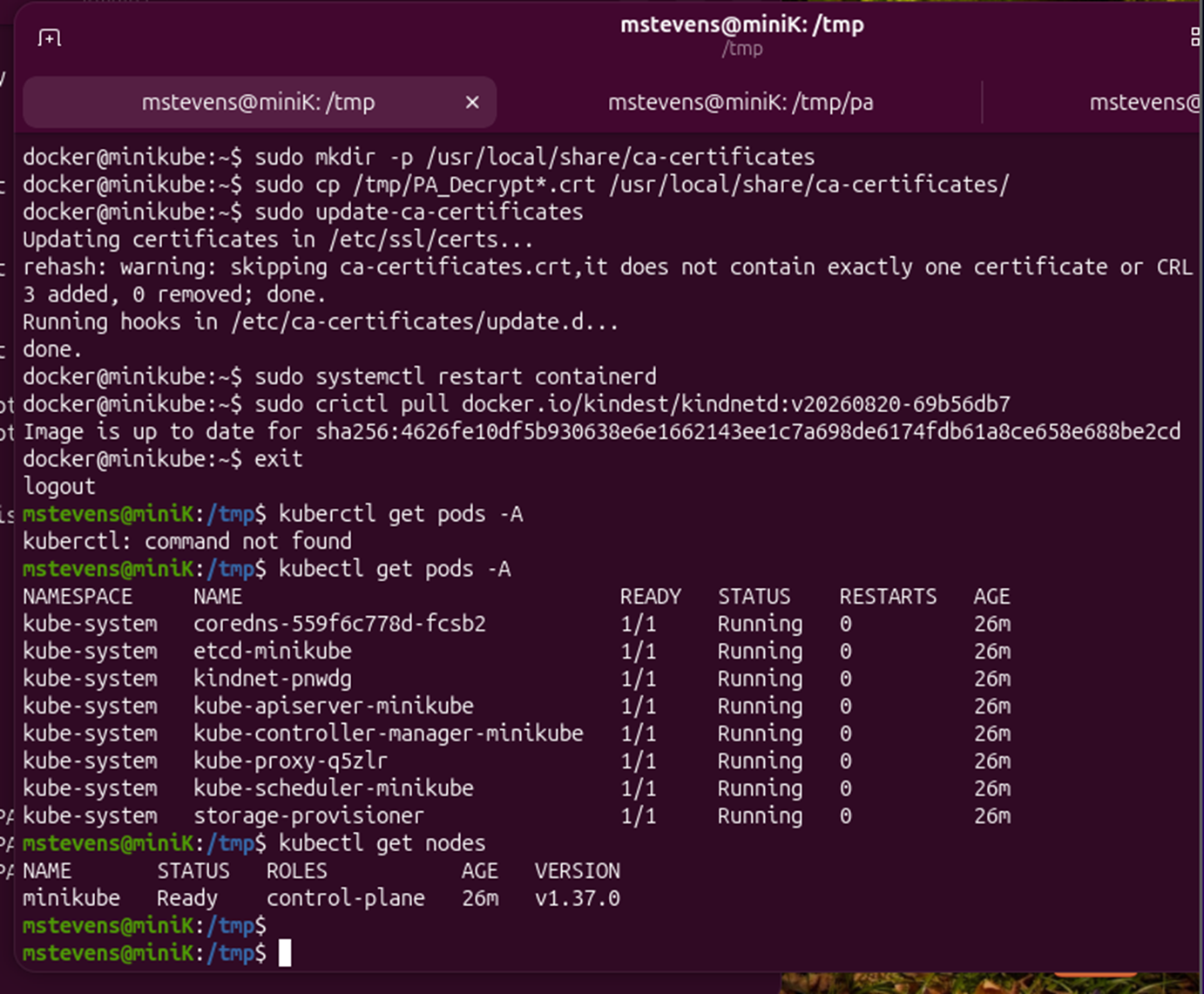
Figure 5: Validation of cluster resources created during deployment.
Results
Validation Summary
- NGINX deployment created successfully.
- Kubernetes pod entered Running state.
- NodePort service deployed successfully.
- Application accessible through browser.
- Cluster resources validated successfully.
Lessons Learned
This lab demonstrated how Kubernetes deployments, pods, and services work together to deliver containerized applications. The exercise validated the complete deployment lifecycle, from application creation through external accessibility testing. Successful completion confirms the ability to host and manage workloads within a Minikube-based Kubernetes environment.
Next Steps
The next lab focuses on Kubernetes operational tasks including scaling, pod recovery, deployment updates, and cluster management activities.
Continue to Lab 03Overview
This lab demonstrates the deployment of a containerized web application into a Kubernetes cluster running on Minikube. The objective was to validate the complete deployment workflow, including creating a deployment, verifying pod health, exposing the service, and confirming application access.