Lab 01 - Minikube Installation & Verification
Deploying and validating a local Kubernetes cluster using Minikube and verifying cluster health.
Deploying and validating a local Kubernetes cluster using Minikube and verifying cluster health.
This lab focused on deploying a local Kubernetes environment using Minikube and validating cluster health prior to workload deployment.
Successful cluster validation ensures the Kubernetes API, control plane, node status, and supporting dependencies are functioning correctly before application deployment begins.
minikube start

minikube status

kubectl get nodes

kubectl cluster-info
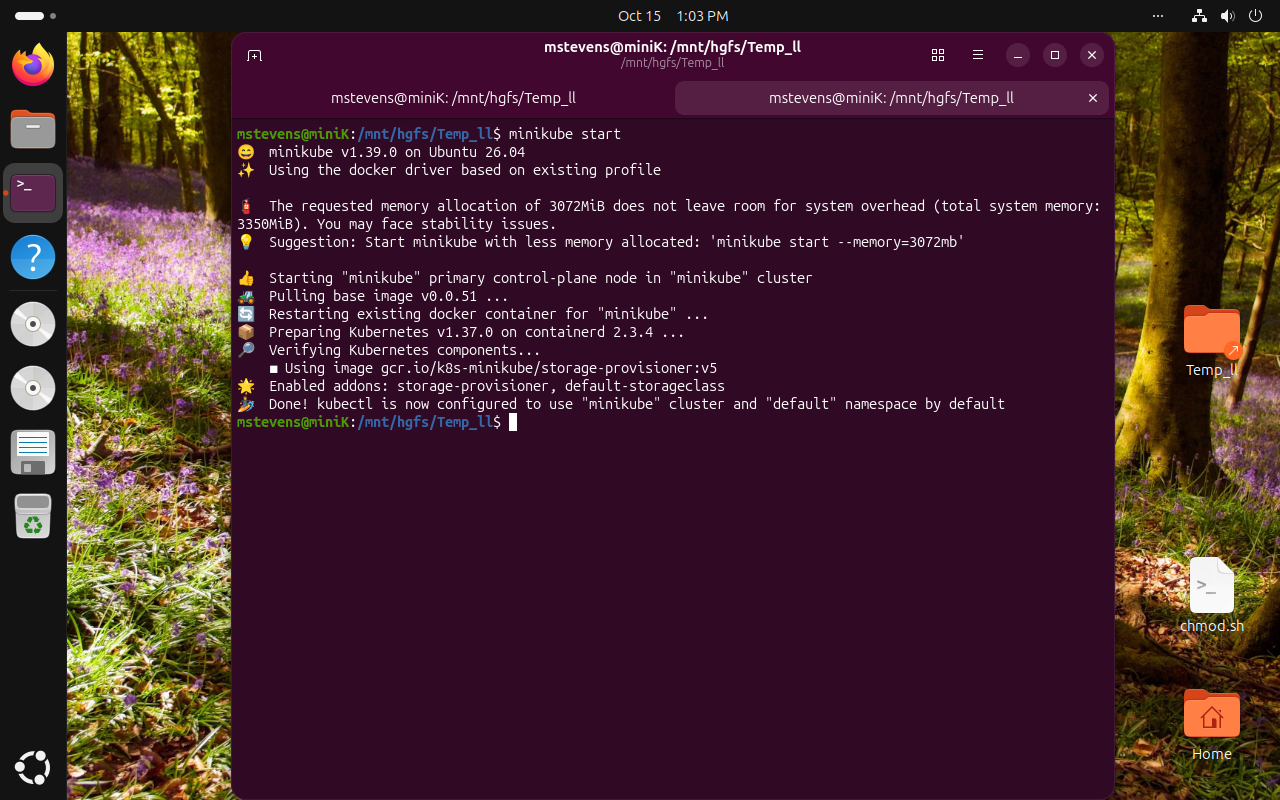 class="lab-image">
Successful startup of the Minikube cluster and initialization of Kubernetes services.
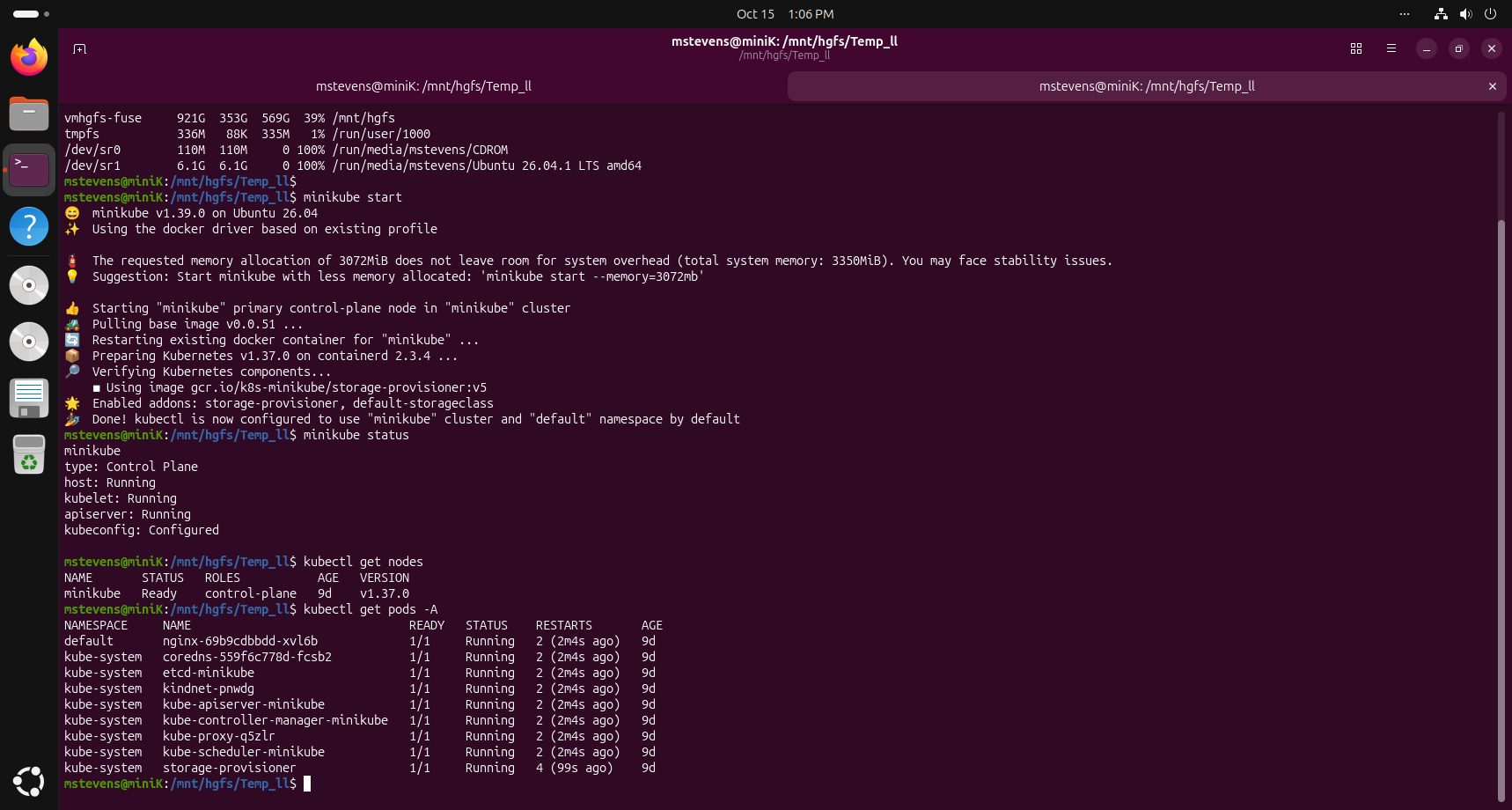 class="lab-image">
Verification of cluster readiness and operational dependencies required for Kubernetes administration.
Validating Kubernetes health before deploying applications simplifies troubleshooting and provides confidence that cluster components are functioning correctly.
Minikube provides an efficient platform for developing practical Kubernetes administration skills in a local environment.
Lab 02 will focus on Kubernetes self-healing capabilities, pod recovery, and deployment resiliency.
Detailed installation notes, troubleshooting steps, validation commands, rollout history research, and supporting engineering documentation are available in the companion guide.
Deploying and validating a local Kubernetes cluster using Minikube and verifying cluster health.